
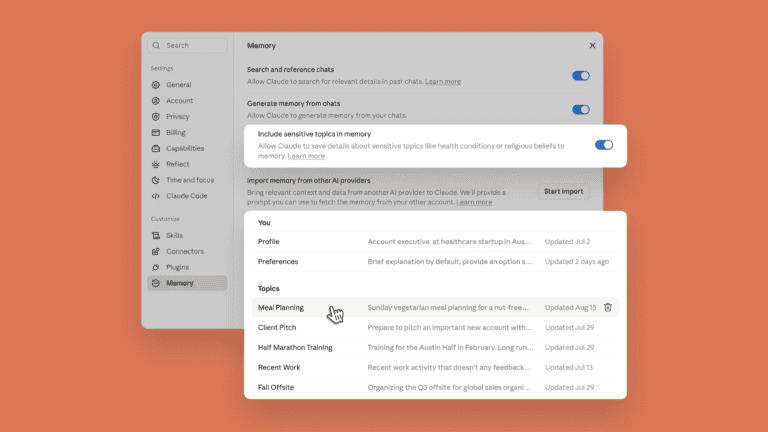
Anthropic is linking the memory of Claude Chat and Claude Cowork. What the assistant learns during conversations is now also available when Cowork performs a task in the cloud. Users can view, edit, or delete what Claude stores, organized by topic.
If you’ve been talking to Claude for months about quarterly priorities or project statuses, you won’t need to explain that context again once Cowork gets to work. It works the other way around, too: whatever comes up in Cowork reappears in the chat. Ask Cowork to write an update for your manager, and the assistant already knows who that is and how that person prefers to read updates.
The shared memory only works when Cowork runs in the cloud. Local Cowork sessions do not use it.
Memory grows as the conversation progresses
Anthropic is also changing the way memory is built up. Claude adds topics as you chat, rather than summarizing conversations afterward. Did a deadline get pushed back to September? Then the next conversation will know that, without you having to explicitly ask it to remember. You can pause or reset memory.
Everything Claude saves appears as short files under “Topics” in the memory settings. A single correction applies everywhere.
Memory is enabled by default on Free, Pro, and Max plans, via web, desktop, and mobile. For Team and Enterprise plans, administrators determine availability, and the feature is disabled until a user activates it themselves.
Tip: Anthropic lets Claude Code make its own decisions more often