

We received an ASUS NUC 15 Pro, a very small mini PC that delivers sufficient computing power for everyday tasks. Its minimal size and the included bracket allow you to use the NUC in locations where you need a PC but cannot or do not want to install a full laptop or desktop. Especially in combination with an external touchscreen, an ASUS NUC offers many business opportunities.
Whether you need to operate a point-of-sale system (digital cash register), a warehouse management system, a control panel, or a factory monitoring system. The challenge is often that you are dealing with locations where you do not want to install a full-fledged laptop or desktop. You have limited space, and the available space must also be set up safely, with few cables and no obstacles.
The choice when setting up these spaces is limited. We see that the iPad is often used as a point-of-sale system, which is a great solution for some retailers. However, it is less reliable than an ASUS NUC 15 Pro. An iPad only works via WiFi, has a limited screen size, and can only run specifically developed applications or web applications.
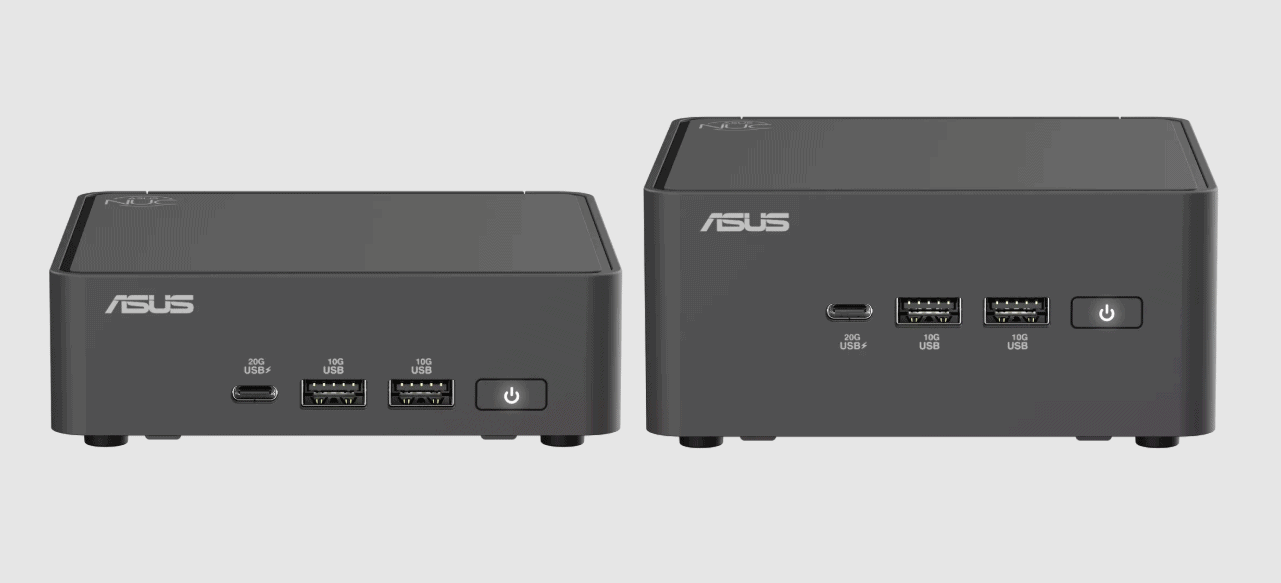
ASUS NUC offers more flexibility and redundancy
For some retailers, these risks are acceptable, for others, they are not. For the latter group, an ASUS NUC is worth considering. The ASUS NUC is equipped with the necessary connections, making it flexible to use and offering redundancy for environments that require it.
The NUC has two HDMI, two Thunderbolt 4 (USB-C), one USB-C (3.2 / 20G), and three USB-A ports, two of which are USB 3.2 10G and one USB 2.0. To top it off, there is also a 2.5G network connection.
The NUC is equipped with all the connections required in a business environment. You can reliably connect the NUC to the company network via a network cable and to existing external equipment via one of the USB ports. That does not mean that WiFi is missing; all configurations include a modular WiFi controller. The network cable and WiFi network can also provide redundancy if one of them is not working properly. A NUC can also be used with local running applications.
20 different models
ASUS offers around 20 models, each with different configurations. The differences lie in their performance. From less powerful but very energy-efficient configurations for IoT solutions to powerful models that even have an NPU for small AI workloads. In terms of price, the configurations range from around 300 euros to around 1,000 euros. For that, you get a barebone to which only RAM and storage capacity need to be added.
We got to work with an ASUS NUC 15 Pro, which features an Intel Core Ultra 7 255H processor, delivering considerable performance despite its small form factor. The housing measures approximately 11x11cm and is only 3cm or 5cm high. The box’s height depends on the configuration. The more powerful models require slightly more cooling space than the less powerful models. The powerful models are also slightly noisier when they have to perform, because the cooling can be audible.
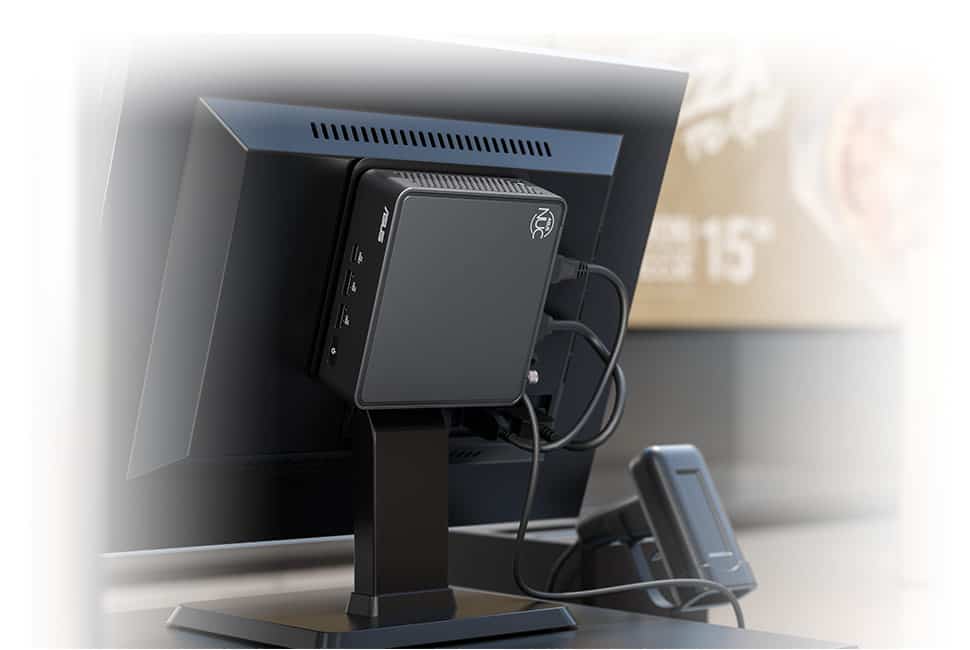
How can a NUC be used?
The advantage of the small housing and the included bracket is that you can easily hide it away. For example, you can screw the housing onto the back of a monitor or in a place where it is not in the way of other operations. In many business environments, the ASUS NUC will probably be used in combination with a touchscreen monitor. In principle, you only need three cables to connect everything.
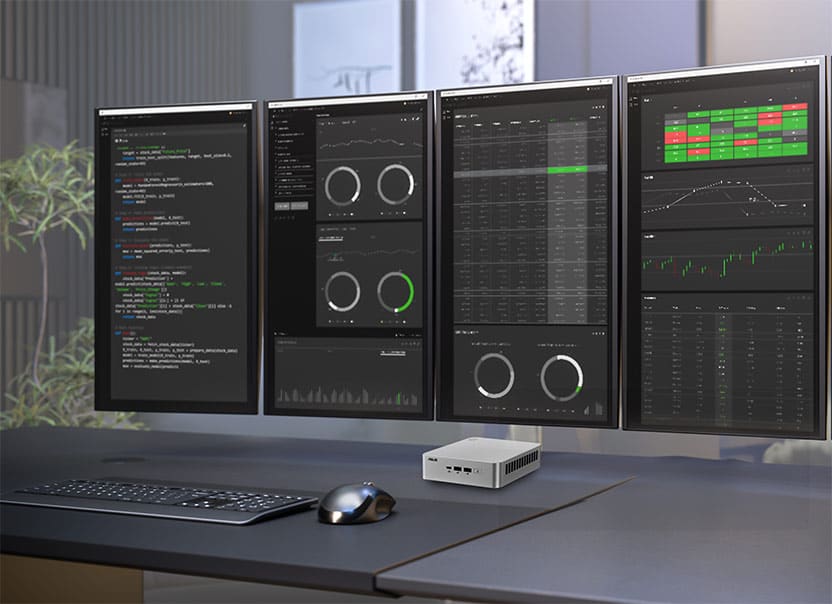
The monitor size does not matter for the NUC; it can be a compact screen or a 65-inch 4K (touch)screen. The ASUS NUCs can control up to three or four screens, depending on the configuration.
Remote IT management or quick on-site support
An ASUS NUC also offers advantages for an IT department, especially in environments where there is little time for repairs and everything must be up and running. An ASUS NUC is very easy to replace with another model, so work can continue, and IT has the time to repair the malfunctioning model at their convenience. Of course, this is not always possible, especially if you use ASUS NUCs in many different locations where IT is not always available. In that situation, you can also opt for an ASUS NUC with a so-called vPro processor. This allows IT to log into the system remotely and perform maintenance if a NUC malfunctions.
Other advantages and disadvantages of an ASUS NUC
ASUS NUCs come with a standard three-year warranty. This sends a positive signal from ASUS, as most computer hardware only comes with a two-year warranty by default. Furthermore, NUCs can run almost any software, whether Windows- or Linux-based. This also means that remote management of the equipment and software becomes a lot easier for the IT department.
If we had to name a disadvantage of an ASUS NUC, it would actually be identical to its biggest advantage: its size. Because the casing is so small, its performance is limited. ASUS can supply them with a very powerful processor, but if you need very powerful video performance, it becomes difficult. Fortunately, this is not immediately necessary in many business environments. Certainly not in the examples mentioned above.
Conclusion
ASUS has a good portfolio for organizations that want to use reliable IT equipment for business processes in difficult environments. The small housing is ideal for concealment without the user or potential customer being aware of it. For IT, it is a matter of proper configuration and consideration of potential malfunctions. It needs to ensure they are made redundant and can be mitigated easily. In the event of major malfunctions, simply swapping a NUC can be the easiest solution.
We see many business opportunities for ASUS NUCs in combination with touchscreens. The NUCs enable a POS system to be available on a small screen or a complex matrix on a very large screen in a distribution center.
Also read: Is an ASUS NUC a good choice for your workloads? It just might be